We use the word 'the' when referring to something that is unique or one of a kind. In this case, I'm using it because very few tools give you design, timeline and transition animations, logic, and working code export—all in one app, without any plugins or hacks.

Don't believe it? Keep reading — you will
Let's start with a big question.
What is Misaki Studio?
Misaki Studio is a web design and development tool, available as a desktop app and in the browser, featuring an infinite canvas and dedicated user interface panels for design & styling elements, logic and project navigation. Combining all of these, it lets you create design systems, interactive components, and fully responsive and animated web pages.
Now you're thinking: Wait, what? Design, animation, and code export? What's new about that? Anyone can design using Figma or Sketch, animate with Lottie or Rive, and export code with tools like Anima or Locofy. Logic…
Me: Yeah, you're right — design, animation, and code export are all possible with existing tools. But that means paying for several of them, and stitching their output back together yourself.
And even then, the code you get out is rarely complete. Why? Because most design and animation tools don't let you configure advanced logic. Simply put, they weren't built for it — so the code you export ends up missing the behaviour.

So, Misaki Studio is effective and reliable in production while being nice to your wallet — your bank account will thank you!
Let's start from the start.
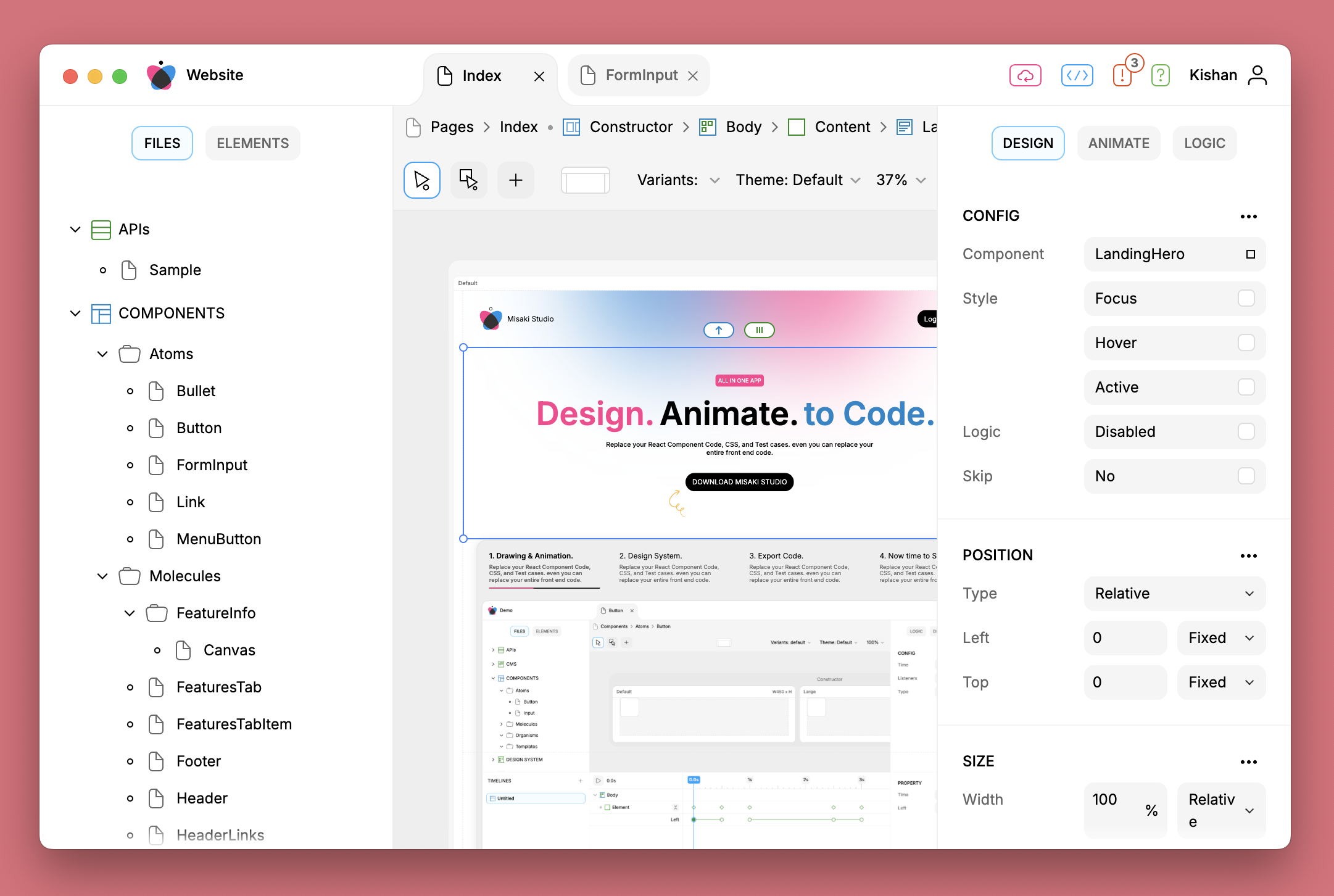
Misaki Studio runs as a desktop app on macOS and Windows, and in the browser. On the first screen of the app you can create, share and manage projects. Each project opens in its own window. A project's user interface has a navigation bar, panels, an editor, files and code export.
Navigation bar
will be on top of everything.
project title on the left and essential action buttons on the right.
in the center, opened files as tabs — similar to browser tabs.
Panels
below the navigation, they will be on the left and right sections.
File panels will be on the left section, where you can create, delete and open files.
other panels will vary by file type.
Editor
it will be in the center — the editor's user interface will also vary by type of file.
Files
APIs
CMS
Components
Design System
Document
Mockups
Pages
Settings
Storage
Code Export
Unlimited code export.
after setting up a path on local or a git repository you can export at any time with a single button — code export is lightning fast.
export to the local file system or to a remote git server.

There are too many file types to squeeze into one blog—ain't nobody got time for that! So let's stick to the VIPs of the file types. You know, the usual suspects—components, pages, design system and everyone's favorite: code export.
Components
Components can be interactive and reusable. They are designed and developed using elements, animations and logic.
Elements
There are fifteen different types of elements.
Element, Text, String, Input, Image, SVG, Path, Circle, Square, Component, Document, IFrame, Mesh Gradient, Shader and Connection.
By using those elements you can design any kind of page and user interface.
Animations
There are two different types of animation.
Transition — for easy state-based from/to animation.
Timeline — for a complex chain of animations.
Logic
With logic blocks anyone can add interactivity to components without any kind of coding. All the blocks are reactive to user interaction, and they automatically re-render when any block's data is modified.
⇒ Central logic blocks.
Properties, States, Variants, Children & External Children, Events, Timeline Player, API Loader, Storage Mounter, Validator and Listeners.
⇒ Element logic blocks are specific to their type.
Repeater, Render Condition, Variants, Children and Binder.
Pages
Pages are like components, but with added functionality — you can navigate between them, just like switching between web pages.
Design System
The design system in Misaki Studio is divided into themes and token files.
In the themes file you can define as many themes as you want. It is not limited to just dark and light.
Colors, fonts, images, radius and spacing are token files. Each token can have a different value per theme.
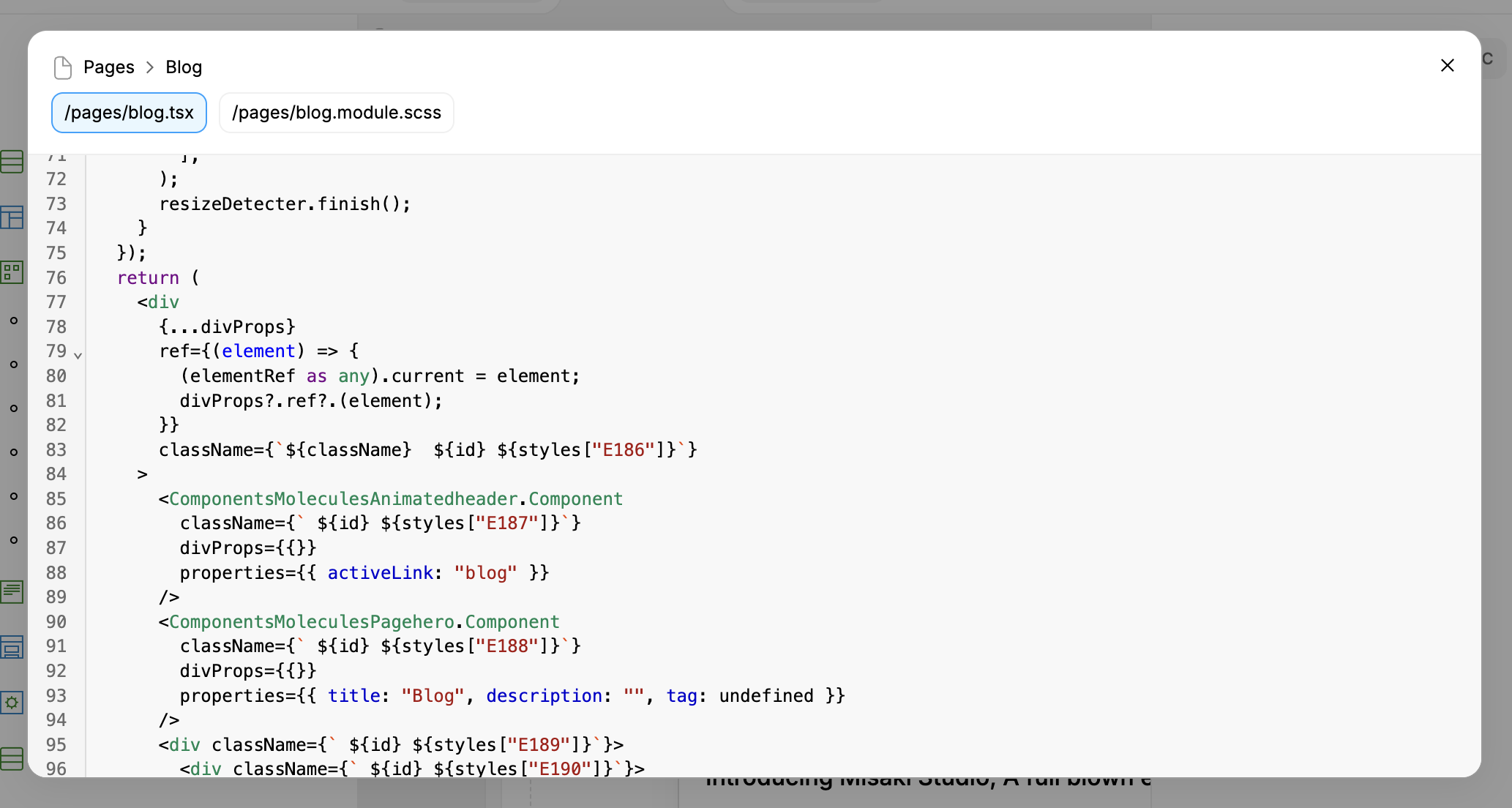
Code Export
You can export code at any moment, and it is really fast. Currently it exports TypeScript, SCSS as CSS modules, React and Next.js.